GPX Master



Overview
GPX Master is an iOS App that you can use to keep track of your location while taking photographs so that you can annotate the locations on your photographs at a later time. It does this by creating a “GPX” file that contains latitude and longitude locations along with timestamps. These GPX files can then be copied to your computer using file sharing in iTunes, or they can be wirelessly synched to your computer by using a great service from a company called Dropbox.
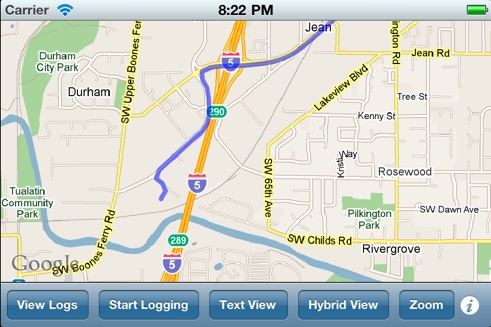
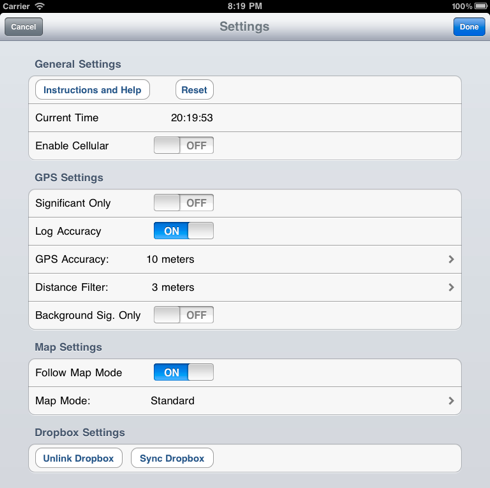
There are preferences that allow you to trade-off log file accuracy vs. battery life, and you can view the track that you are creating while you are creating a log.
Once the GPX file is saved on your computer, you will need to use a program to annotate your photographs using the GPX file. Depending on your computer setup, there are many options for geotagging (free and not free). Some examples are:
-
•Apple Aperture
-
•HoudahGeo
-
•exifTool (a great free app run on the command line for manipulating EXIF info)
-
•GPicSync
For detailed information on using the App, please click on the info button (the small “i” in the bottom right corner) and then click on the “Help and Instructions” button.
Note: to log into Dropbox, you need to create a free account at www.dropbox.com. You then log into your Dropbox account from the settings page of this app, and the app is given a token that is used to keep the link to your Dropbox account active. Note that this app never stores your Dropbox user name or password ... all it stores is the token that is provided from Dropbox.